 Machinewright
Design machines the way you write software.
Machinewright is a graph-native framework for mechanical design in Python. Declare parts, ports and connections once, then project CAD, bills of materials and print plates from the same resolved graph.
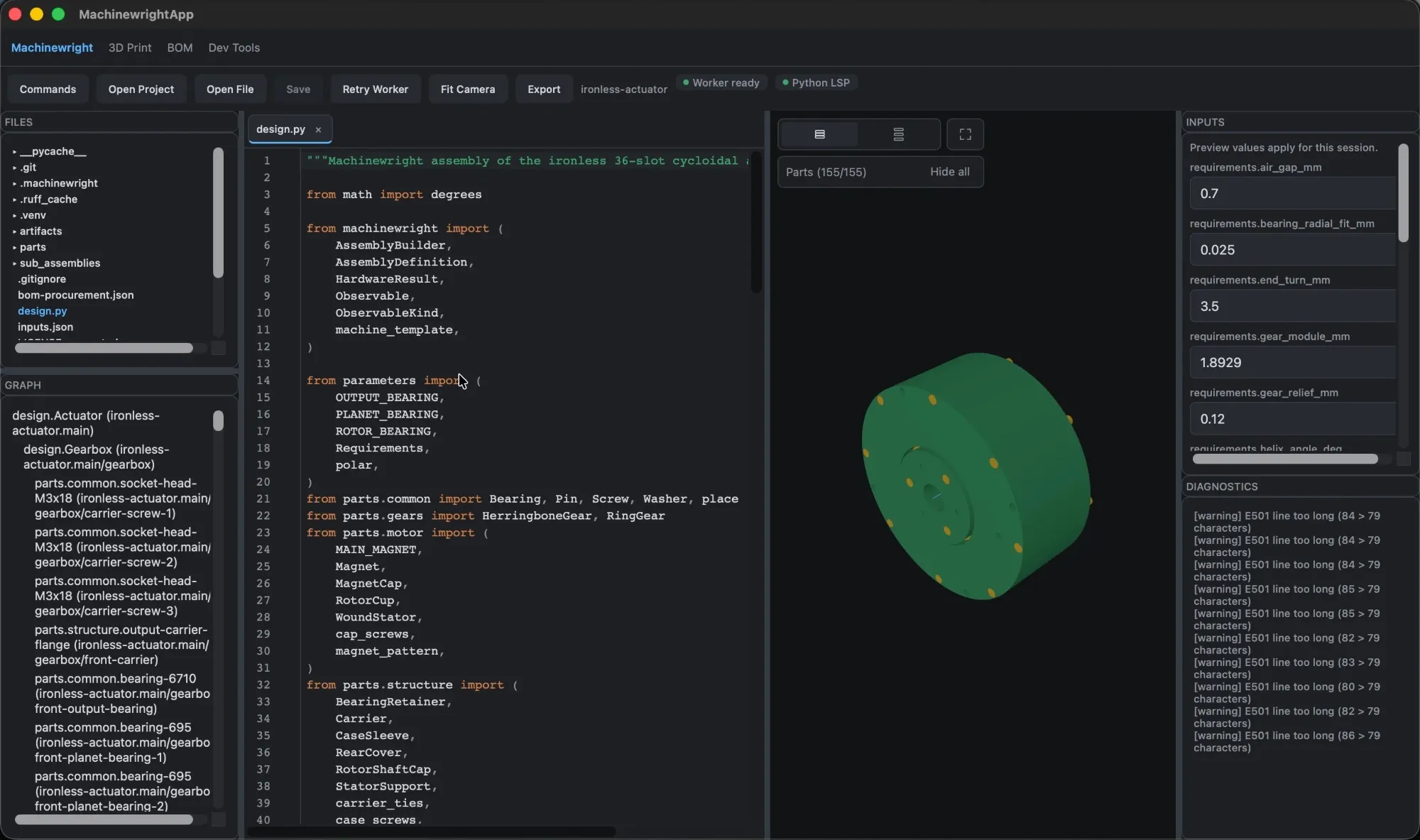
The Machinewright app with the ironless-actuator sample project: a 154-part planetary-geared actuator.
Everything from one source of truth
Stop keeping CAD, BOM spreadsheets and assembly notes in sync by hand. They all derive from the same code.
Parts and assemblies as code
Subclass PartDefinition and AssemblyDefinition. Constructor arguments are the design parameters; CadQuery builds the leaf geometry.
One canonical graph
Typed ports, containment, transforms and connections resolve once into a ResolvedHardwareGraph. Every output is a projection of it.
Everything a build needs
STEP, STL, previews, structured BOMs, Graphviz graphs and provenance manifests from a single evaluate.
Native macOS editor
Edit Python with LSP completions and diagnostics beside a live 3D viewport. Tweak inputs and watch the model re-evaluate.
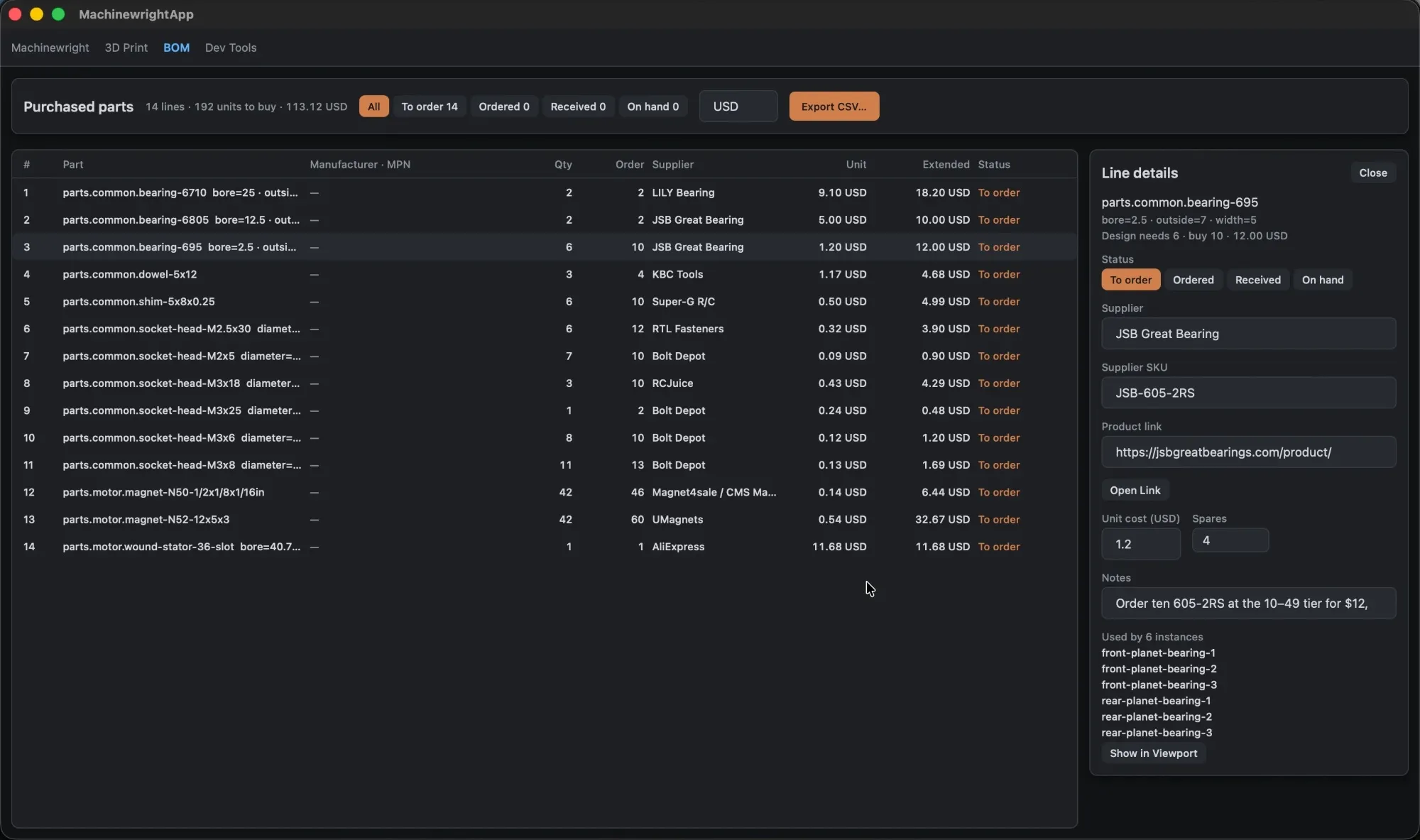
Purchased-parts BOM
Track supplier, SKU, cost, spares and order status per line, stored in a plain JSON file you can commit.
Print-ready plates
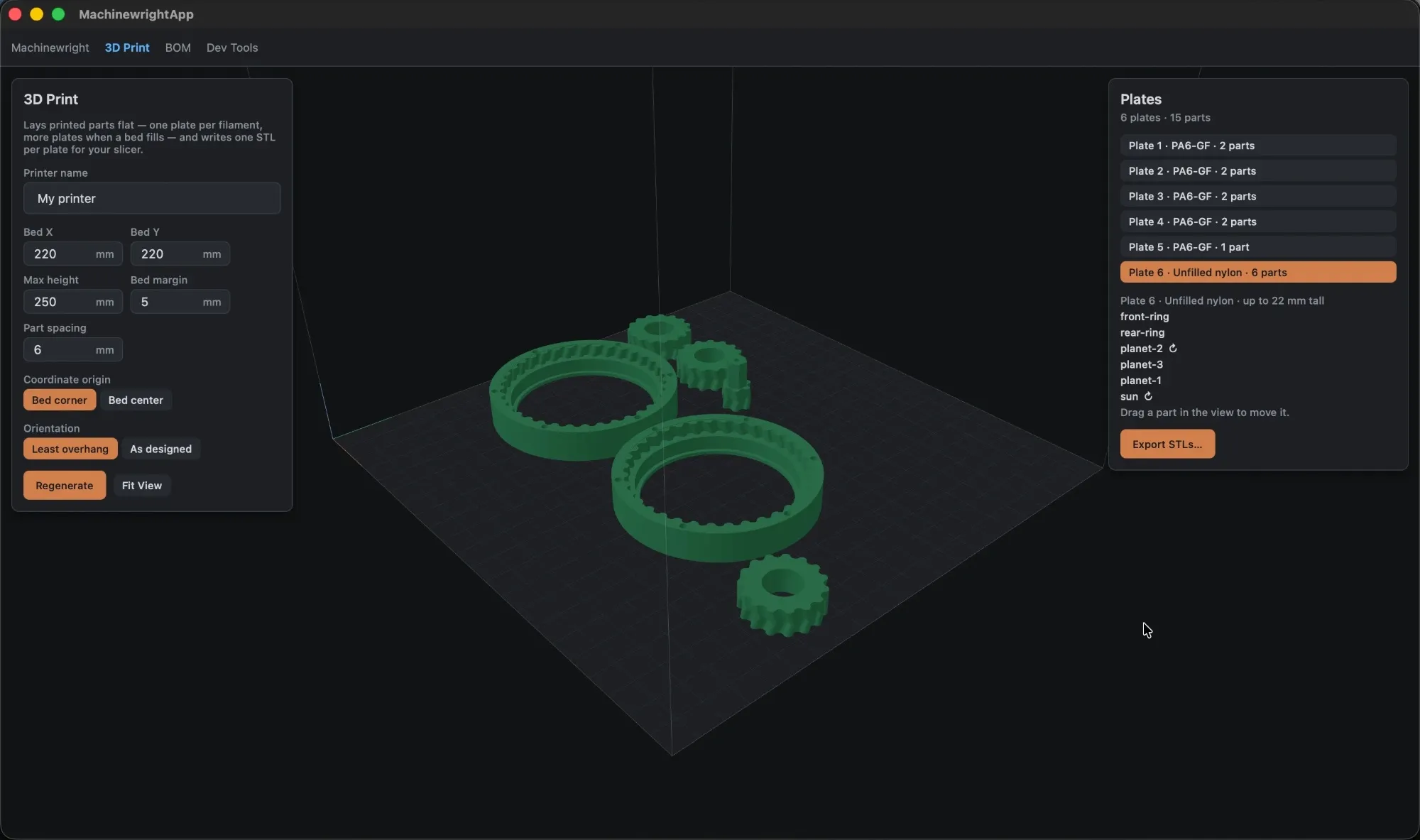
Orient, pack and export printed parts onto plates per material, ready for your slicer.
Parametric by construction
Parts take typed parameters. Assemblies place them and declare how they connect. Change a number, re-evaluate, and everything downstream follows.
class Plate(PartDefinition):
    material = MATERIALS["PLA"]

    def __init__(self, width_mm: float):
        self.width_mm = width_mm

    def geometry(self):
        return cadquery.Workplane("XY").box(
            self.width_mm, 20, 4)

class Machine(AssemblyDefinition):
    def define(self, builder):
        builder.part("base", Plate(40))
        builder.part(
            "cover", Plate(40),
            transform=Transform.translated(z=12))
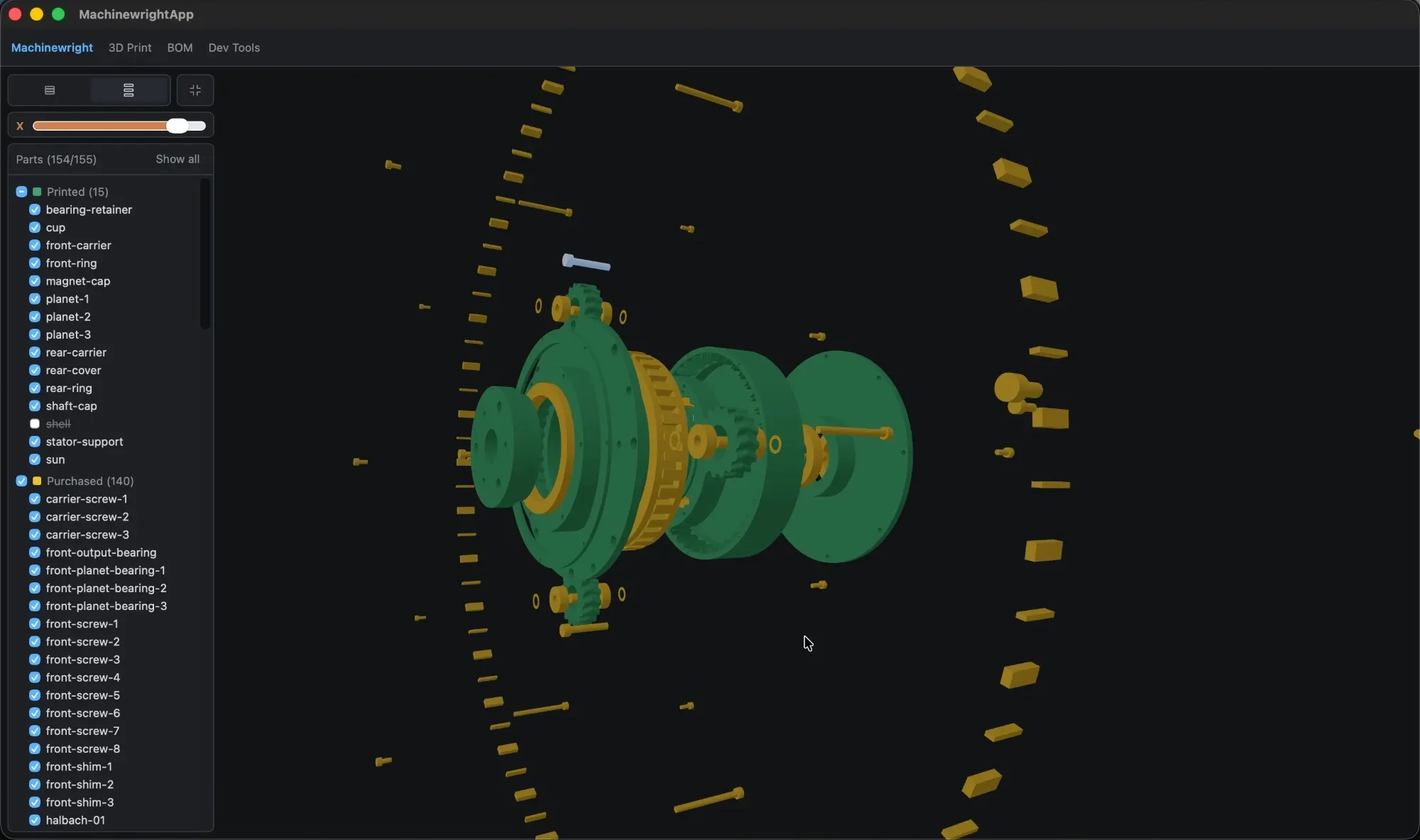
Inspect it from every angle
Explode the machine to check fit and assembly order, and isolate parts by group. Printed and purchased parts are colour-coded, with all 154 parts in a filterable list.
From design to workshop
Plan print plates per filament for your slicer, and track every purchased part from supplier to delivery, all derived from the same design.
Start in a minute
With uv installed, scaffold a design and evaluate it from the command line, then open the folder in the macOS app.
machinewright project init indexing-table --starter basic
cd indexing-table
uv sync
uv run machinewright project evaluate \
  indexing-table.main 0.1.0 inputs.json artifacts/